
You are without internet service… You are lost and do not speak the language… Problem solved! Before you left, you prepared and downloaded the language and maps for offline usage – Google Translate and Google Maps!
Very smart of you! You must be a well-seasoned traveler – expert level 💥!
LANGUAGE TRANSLATION: Google Translate (or similar app)
For Google Translate, download languages 🔤 offline so that you always have them available, w/ or w/o internet 🛜. This can be a real lifesaver.
It’s simple, but easy to forget. Either that or learn the language, because you do not want to get stuck without being able to communicate.
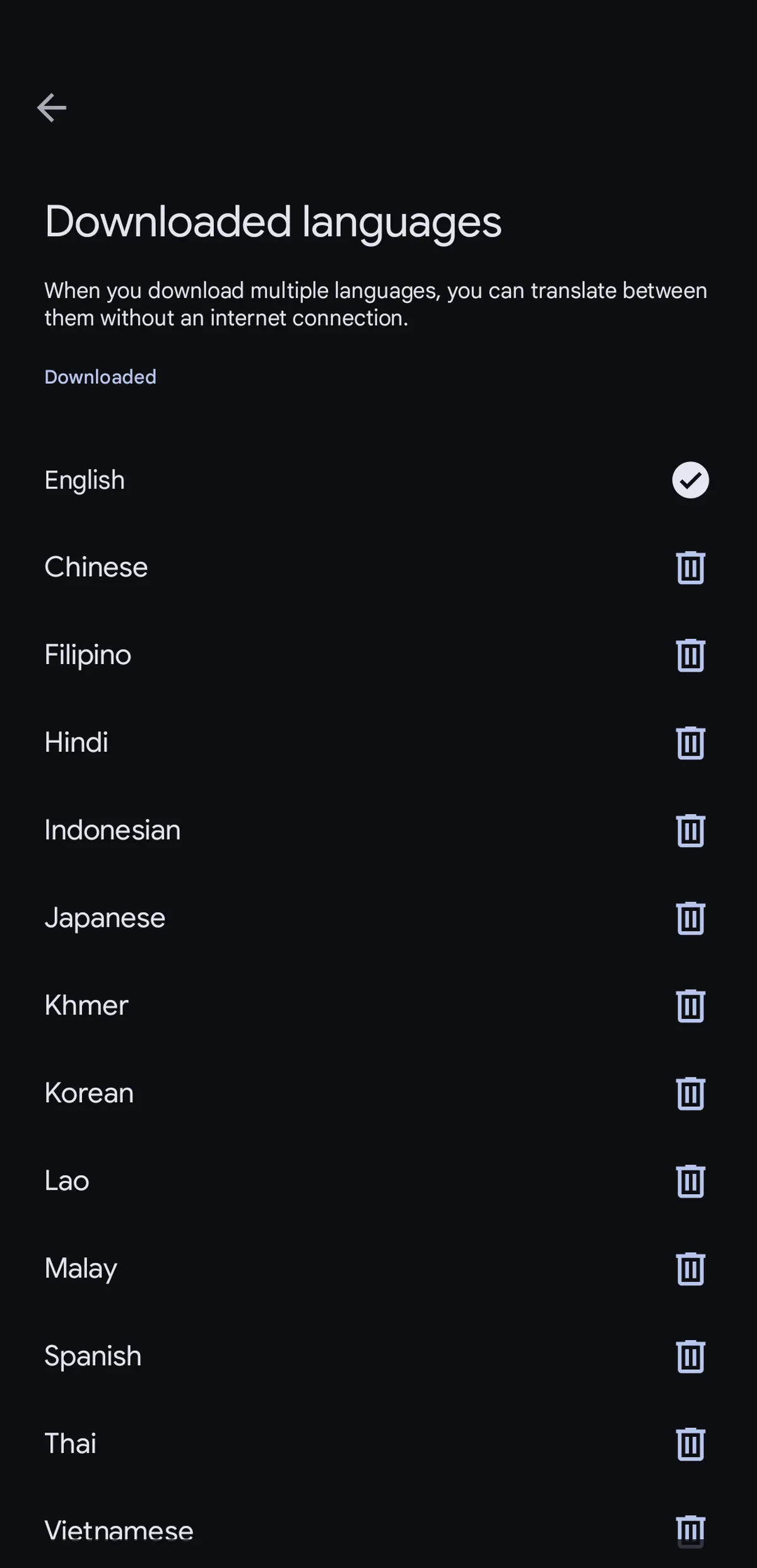

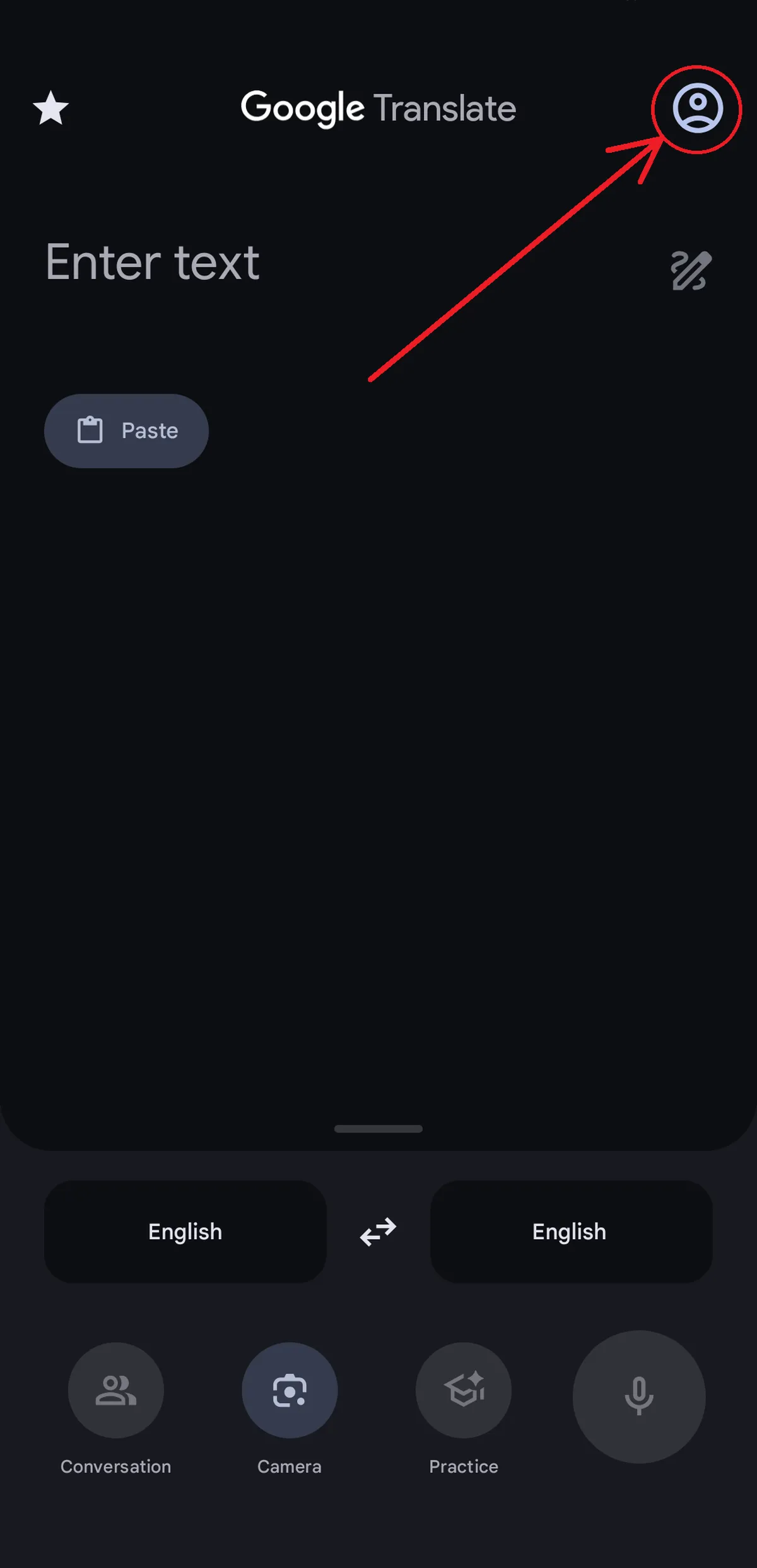
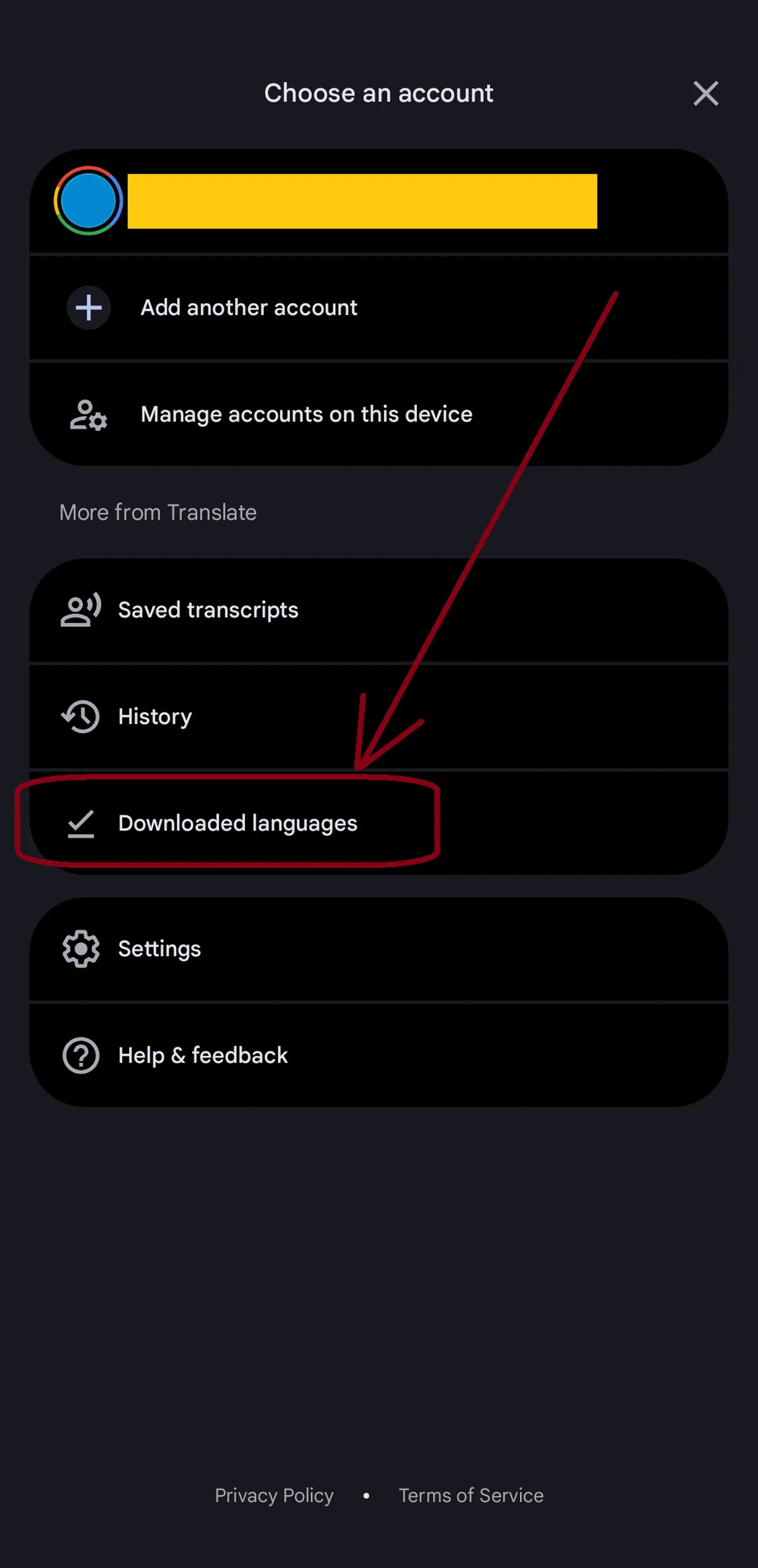
Map App Options
The obvious are:
– Google Maps
– Apple Maps
However, great alternatives include:
– Maps.me (great for offline trails)
– Organic Maps
Consider having the alternative maps 🗺️ in addition to Google/Apple Maps. They offer more routing options for SE Asian back roads and trails .
Note
Motorbike Riding 🏍️:
Google Maps has a motorcycle routing 🏍️ option, but it is only available in certain countries. And, it may require enabling it in the settings.
In Vietnam, this motorcycle routing exists – it exists for good reason. In Vietnam 🇻🇳 there are roads that motorbikes are not aloud to ride on. Therefore, the motorcycle route is critical to use and not the standard driving route!
Download Offline
In Google Maps 🗺️, you can download maps offline. The same goes for an alternative app (Maps.me, Organic Maps).
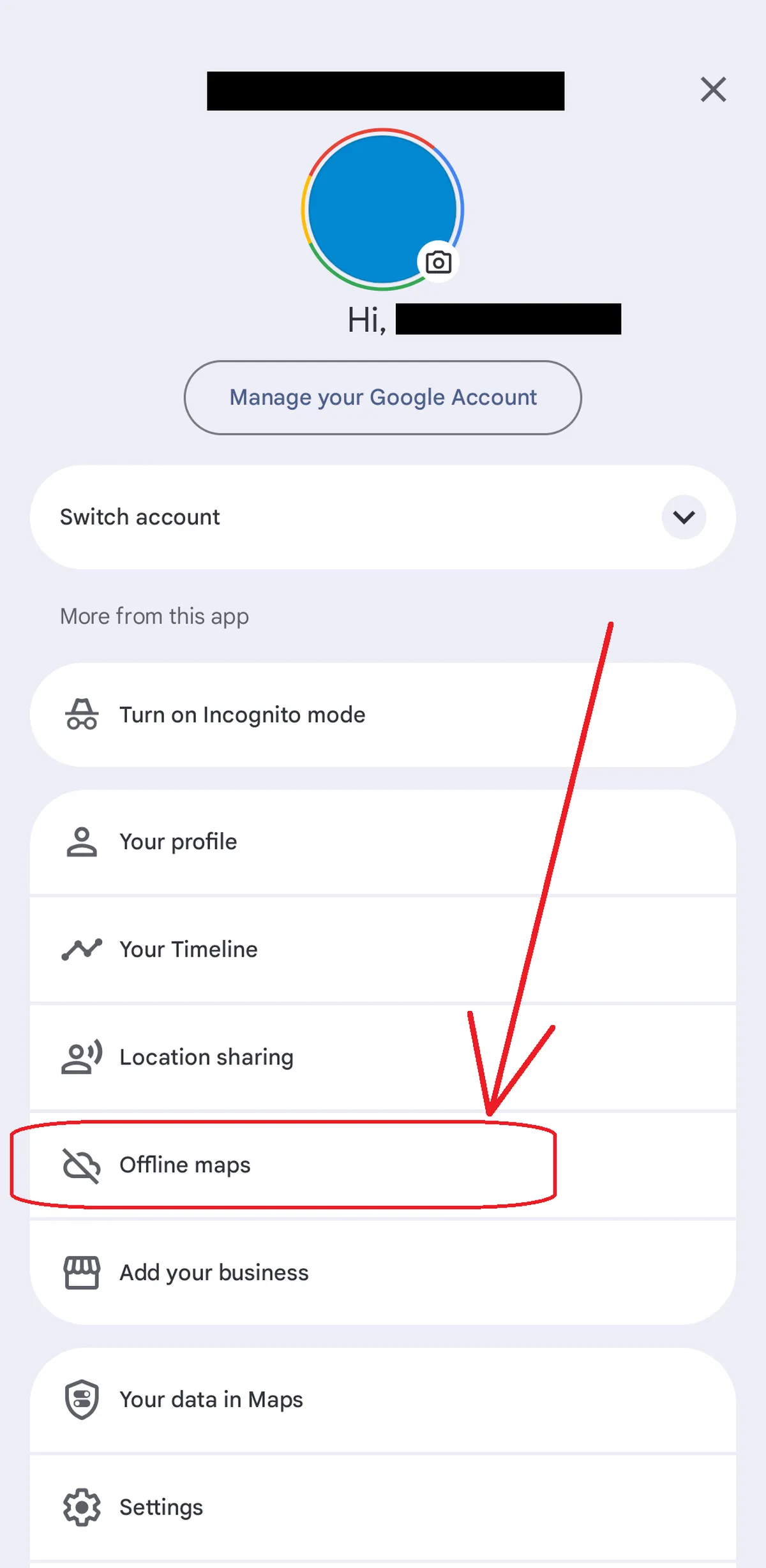
You will be prompted to select and area on the global map to download offline. The benefit is that the downloaded map areas will load in detail when you have no internet connection.
Important areas to download offline:
>
Departing 📍from location.
>
Destinations to 📍.
>
Areas in-between your travel destinations if traveling by motorbike, bus, or train.
Tip
When using offline maps (maps without internet access) searching maps with an address (not a location name) works much better than a name of a place. This is especially helpful in Vietnam, which often has addresses clearly marked. However, in Cambodia there are often locations without official addresses – they seem to have no need for them (sounds weird but that’s just how it is).
If you are lost:
( 1 ) First, search on maps for a place that you are standing next to.
( 2 ) If that does not work, type in it’s address, which will almost always work.
Directions in offline mode:
> Google Maps tends to work only for driving directions, nothing else (walking, biking, public transportation). So, do not try the directions for walking or biking – it will not work.